
DataOps TestGen is an open-source (Apache 2.0) data quality tool that profiles your tables, generates data quality tests from the profile, and monitors freshness, volume, and schema, with a web UI, a REST API, and an MCP server for AI assistants.






Most data teams have tests on the tables somebody had time to write tests for. TestGen starts from the other end. It profiles every column, then writes the tests for you, and you add SQL rules for the business logic a profile can't know. Tests run as SQL inside your database, so your data stays where it is.
Install it with two commands (Python 3.9+, 8 GB memory; details in Quick start):
curl -o dk-installer.py 'https://raw.githubusercontent.com/DataKitchen/data-observability-installer/main/dk-installer.py'
python3 dk-installer.py tg install
Interactive Product Tour | Product page | Documentation | Pricing
- Profiles every column in a table group on 55 characteristics and stores the results for review. See what data profiling is.
- Runs 32 hygiene detectors on new data, so you can review a dataset before it reaches production and send problems back to the supplier.
- Generates data quality tests from the profile across 34 test types, plus 19 test types you configure for business rules and custom SQL. See what data testing is.
- Watches each table between test runs with freshness, volume, schema, and metric monitors, and learns what normal looks like for each one.
- Writes a data contract for each table, with a test behind every term, kept in numbered versions. Contracts import and export as ODCS (Open Data Contract Standard) YAML.
- Scores quality by DAMA dimension or critical data element, and keeps a catalog page per table with its profile, hygiene issues, and test results.
- Runs from Airflow, Dagster, or CI through the REST API, or from an AI assistant through the MCP server.
- Sends alerts by email, Slack, Microsoft Teams, or any HTTPS webhook.
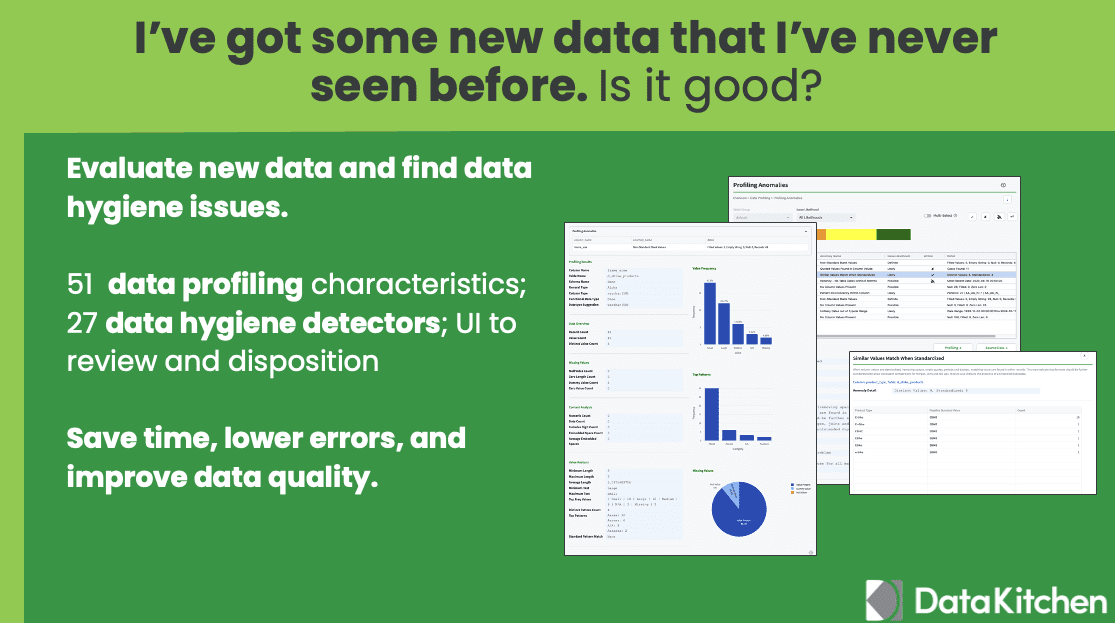
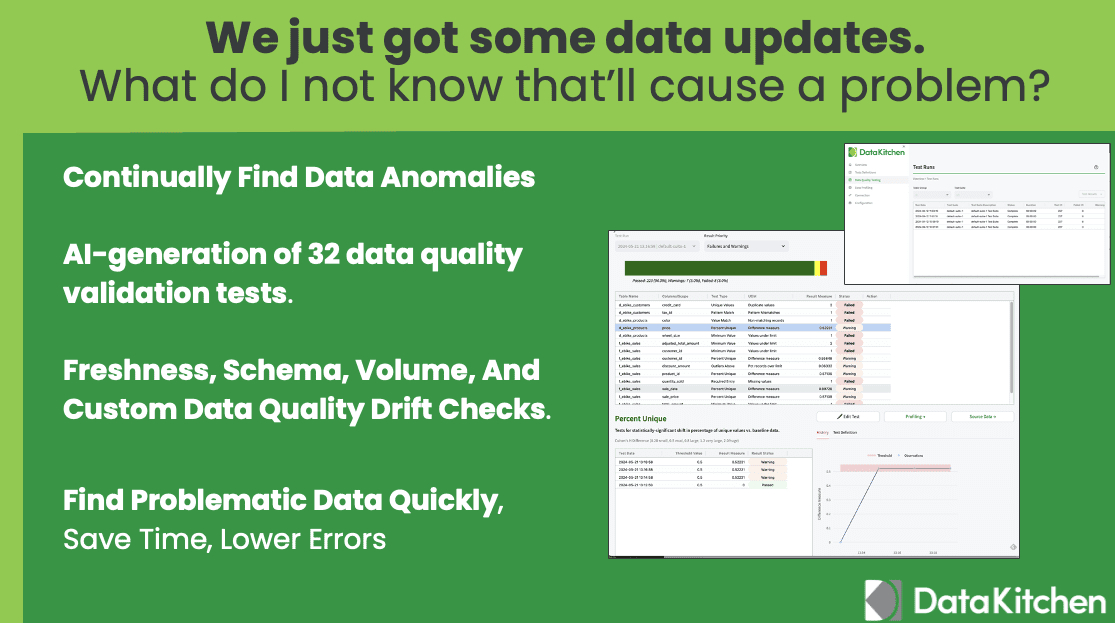
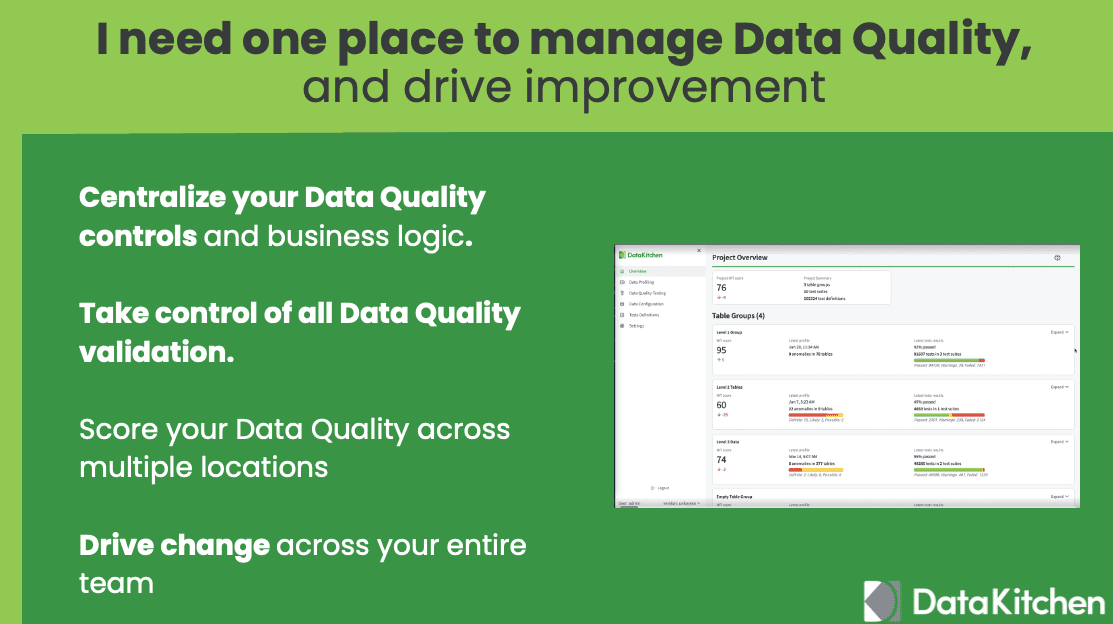
Counted at TestGen 5.134.0 (October 2026). Each check links to its documentation from DataKitchen's Periodic Table of Data Quality.
| Category | How many | Examples |
|---|---|---|
| Data profiling | 55 column characteristics | Types, keys, formats, observed ranges, required and unique columns, recency, row counts |
| Data hygiene | 32 detectors | Leading Spaces, Non-standard Blank Values, Potential Duplicate Values, Character Column with Mostly Numeric Values, Suggested Data Type |
| Generated tests | 34 test types | Percent Missing, Unique Values, Pattern Match, Email Format, Minimum Value, Recency, Average Shift, Outliers Above |
| Configured tests | 19 test types | Custom Condition, Custom Test (SQL), SQL Metric, Aggregate Balance, Reference Match, Distribution Shift, Schema Conformance |
| Table monitors | 4 monitor types | Freshness, volume, schema, custom metric |
| Table comparison | Match tests | Compare a target table to a source baseline, for example after a database migration |
| Commercial Pharma (Enterprise) | 12 test types | NPI, DEA, NDC, ICD-9 and ICD-10, HCPCS J-codes, CMS Place of Service, NCT numbers |
Generated tests learn what your data already looks like, including what's normally wrong with it. So you still write the business rules (a fare is never negative, shipped quantity never exceeds ordered quantity). DataKitchen estimates generation covers about 80 percent of the tests a team needs.
As of November 2026, TestGen connects to 14 databases:
| Cloud warehouses and lakehouses | Microsoft | Other databases |
|---|---|---|
| Snowflake | Microsoft SQL Server | PostgreSQL |
| Databricks SQL | Azure SQL Database | Amazon Aurora PostgreSQL |
| Google BigQuery | Azure Synapse Analytics | Oracle Database 12c and later |
| Amazon Redshift | Microsoft OneLake | SAP HANA |
| Salesforce Data 360 | DuckDB |
TestGen also reads CSV, Parquet, and JSON files on a local path, in Amazon S3, or in Azure Blob Storage, with no database in front. It does not read Google Cloud Storage or Excel workbooks. Every source works in both the open-source and Enterprise editions.
To set up a connection, see Connect your data or which databases TestGen supports.
The dk-installer program installs TestGen in either Docker or pip mode.
You need 2 CPUs, 8 GB memory, 20 GB disk space. pip mode needs Python 3.9+ to run the installer. Docker mode also needs Docker 27+ and Docker Compose 5.0+.
Download the installer into a new, empty directory:
curl -o dk-installer.py 'https://raw.githubusercontent.com/DataKitchen/data-observability-installer/main/dk-installer.py'On Windows, you can instead download dk-installer.exe and double-click it.
Install TestGen:
python3 dk-installer.py tg installThe installer checks for Docker and asks you to pick Docker or pip. Pass --docker or --pip to skip the prompt. When it finishes, it writes credentials to dk-tg-credentials.txt, generates demo data, and opens the TestGen UI in your browser. Use --no-demo to skip the demo data.
Upgrade later with python3 dk-installer.py tg upgrade. Restart with python3 dk-installer.py tg start.
For complete instructions, see the documentation:
Then walk through the Data Observability Overview Demo, and connect your own database. Setup guides for specific stacks: SQL Server, Microsoft Fabric, data profiling, data contracts, and all of TestGen.
TestGen ships a Model Context Protocol (MCP) server with 122 tools in eight groups. 117 of them are in the open-source edition; the other five, for creating connections and projects and managing project members, are Enterprise. Connect Claude, Claude Code, Cursor, GitHub Copilot, or any MCP client, and ask about your data in plain English. The assistant can profile tables, generate and run tests, work on data contracts, and triage failures. Every tool runs under your own TestGen role, so the assistant can do only what you can do.
The installer serves the API and MCP server on port 8530 by default. Change it with --api-port.
Setup instructions: docs.datakitchen.io/testgen/mcp. The full tool list: Supported Tools.
The main difference between data quality tools is who writes the tests. With dbt tests, Great Expectations, and Soda Core, you write each check. TestGen profiles the data and generates the baseline.
dbt ships four built-in generic tests (unique, not_null, accepted_values, relationships), and you write everything past those in YAML or SQL, model by model. Keep them as the gate inside dbt build. TestGen connects to the same database and covers the columns nobody had time to write tests for. See when dbt tests are enough.
Great Expectations' GX Core is an Apache 2.0 Python library, and you define each expectation in code. GX Cloud, the hosted product with the UI, shut down on June 1, 2026; GX Core continues under Fivetran stewardship.
With Soda Core, you write each check in SodaCL (YAML). Soda Core has been source-available under the Elastic License 2.0 since January 2026, so it is no longer open source in the OSI sense.
| DataOps TestGen | Great Expectations (GX Core) | Soda Core | |
|---|---|---|---|
| License | Apache 2.0 | Apache 2.0 | Elastic License 2.0 (since January 2026) |
| Who writes the tests | TestGen generates them from a profile of every column; you add SQL rules | You write each expectation in Python | You write each check in SodaCL (YAML) |
| Data profiling | Yes | Yes | Partial |
| Web UI in the free edition | Yes | No | No (the UI is Soda Cloud) |
| Freshness, volume, and schema monitoring | Yes | Partial | Partial |
| Data contracts | Generated from the profile; reads and writes ODCS | Partial | Yes, in SodaCL; no ODCS round trip |
| MCP server for AI assistants | Yes | No | No |
This comparison is DataKitchen's, last reviewed June 2026 (license and data contracts rows November 2026). Full write-ups: TestGen vs dbt tests and Great Expectations, TestGen vs Great Expectations, TestGen vs Soda Core, and the best free and open-source data quality and observability tools in 2026.
The core profiling, testing, and monitoring engine is free and open source. Enterprise adds team access, security, Commercial Pharma tests, source-data controls for AI, and support.
Open-source TestGen is free for one user, one database connection, and one project, with unlimited tables and data volume. Enterprise costs $100 per user per month plus $100 per database connection per month, with no per-table charge. Both editions run the same engine, so tests, profiles, and configuration carry over when you upgrade.
| Open source | Enterprise | |
|---|---|---|
| License | Apache 2.0 | Commercial |
| Users | 1 | Unlimited, $100 per user per month |
| Database connections | 1 | Unlimited, $100 per connection per month |
| Projects | 1 | Unlimited |
| Tables and data volume | Unlimited | Unlimited |
| Profiling, hygiene, generated tests, monitors, contracts, UI, REST API, MCP server | Included | Included |
| SSO, role-based access control, PII masking, custom branding | Included | |
| Commercial Pharma test types (12) | Included | |
| Hide source data from AI clients (MCP) | Included | |
| Support | Community Slack | DataKitchen support |
See datakitchen.io/pricing for current pricing and TestGen open source vs Enterprise for the details.
DataOps TestGen is an open-source data quality and data testing tool from DataKitchen, licensed Apache 2.0. It profiles every column on 55 characteristics, generates tests from 34 test types, runs 32 hygiene detectors, and monitors freshness, volume, schema, and custom metrics. Tests run as SQL inside your own database. It ships with a web UI, a REST API, and an MCP server.
Yes. Open-source DataOps TestGen is free under the Apache 2.0 license for one user, one database connection, and one project, with unlimited tables and data volume. TestGen Enterprise costs $100 per user per month plus $100 per database connection per month. Enterprise adds team access, security, the 12 Commercial Pharma test types, source-data controls for AI clients, and DataKitchen support.
No. Keep your dbt tests as the gate inside dbt build, where a failed test stops the models downstream of it. DataOps TestGen connects to the same database, profiles the tables dbt builds, and generates tests and monitors that run as SQL there. dbt guards the models you wrote tests for. TestGen covers the columns nobody had time to write tests for.
Partly, and on purpose. DataOps TestGen monitors every table for freshness, volume, schema changes, and custom metrics between test runs, and learns what normal looks like for each one. It also tests the values inside the columns, which most observability tools leave alone. For pipeline and job observability across tools, DataKitchen ships a separate open-source product, DataOps Observability.
As of November 2026, DataOps TestGen connects to 14 databases: Snowflake, Databricks SQL, BigQuery, Redshift, Aurora PostgreSQL, PostgreSQL, SQL Server, Azure SQL Database, Azure Synapse, Microsoft OneLake, Oracle 12c and later, SAP HANA, Salesforce Data 360, and DuckDB. It also reads CSV, Parquet, and JSON files locally, in Amazon S3, or in Azure Blob Storage.
Business rules. Generated tests learn what your data already looks like, including what is normally wrong. In DataKitchen's August 2026 run on NYC taxi data, a generated minimum-fare test set its floor at negative $367, because negative fares were already in the data. The rule that a fare is never negative came from a person. DataKitchen puts that hand-written share at about 20 percent.
DataKitchen's yearly surveys of open-source and commercial data quality tools:
- The 2026 Open-Source Data Quality and Data Observability Landscape
- The 2026 Data Quality and Data Observability Commercial Software Landscape
- The 2026 Open Source Data Profiling Software Landscape
- The 2026 Data Contracts Software Landscape: Open Source and Commercial
- The Best Data Observability Tools in 2026
- DataOps TestGen documentation
- DataOps TestGen product page
- REST API
- MCP server
- Configuration (environment variables)
- Local development
Talk with other data practitioners who build with DataKitchen. Share what you know, get help, and contribute.
- Join us on Slack. This is also how you get support: post in the
#supportchannel. - Star us on GitHub
- Follow us on X
- Follow us on LinkedIn
- Get free DataOps certification
- Read our blog
- Sign The DataOps Manifesto
- Sign The Data Journey Manifesto
For details on contributing or running the project for development, see the contributing guide.
DataOps TestGen is Apache 2.0 licensed. See LICENSE.